
CUSTOM MAC FOLDER ICONS
Give your desktop a personality upgrade with custom Mac folder icons.
Browse free sets below, from fluffy fabric to chrome and lava, or grab the premium pack of 50, all drag-and-drop PNGs that work in Light and Dark Mode.
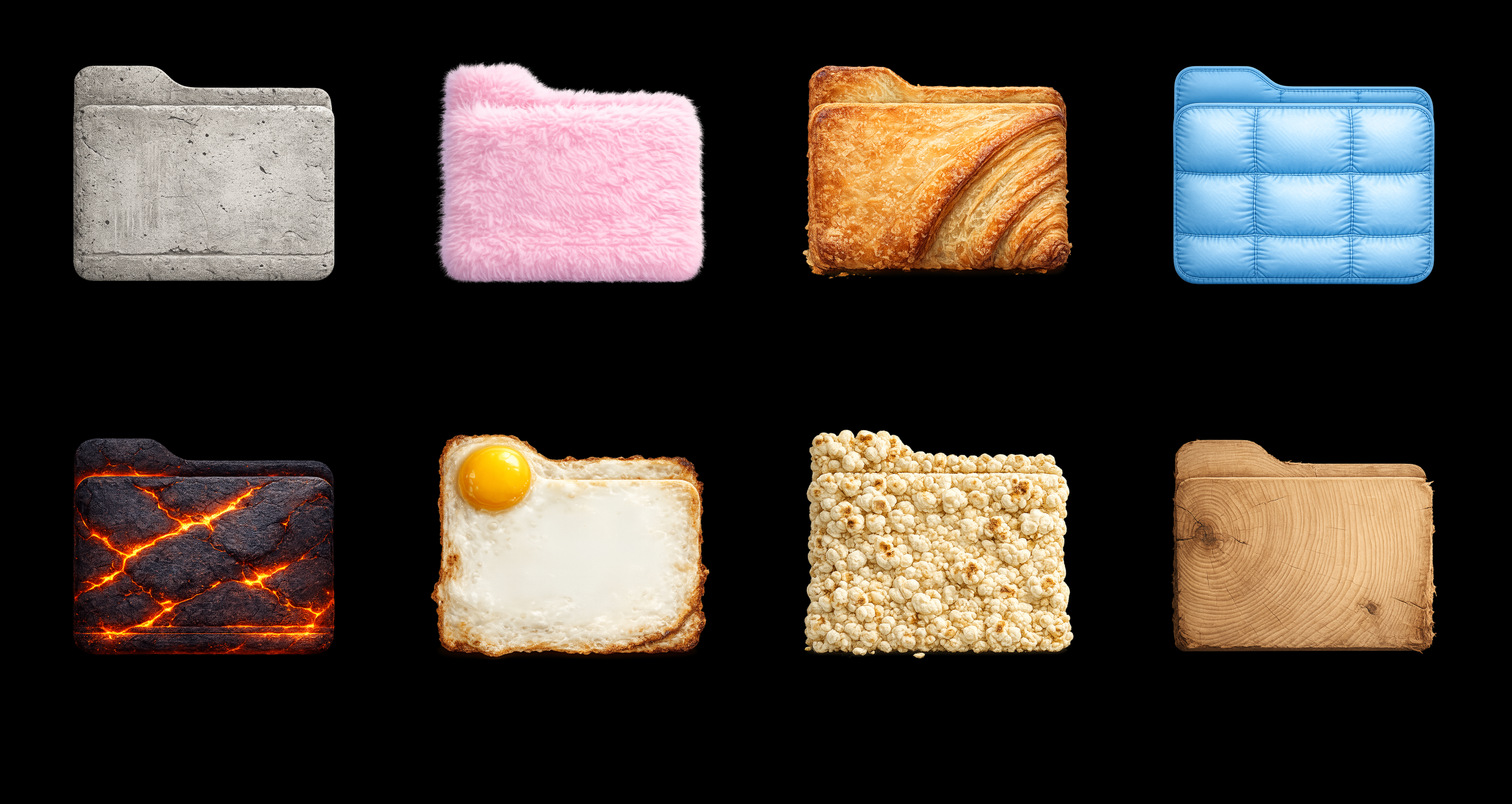
TRY GIVING YOUR FOLDER A NEW LOOK WITH THESE FREE CUSTOM ICONS BELOW!


X50 PREMIUM MAC ICONS PACK
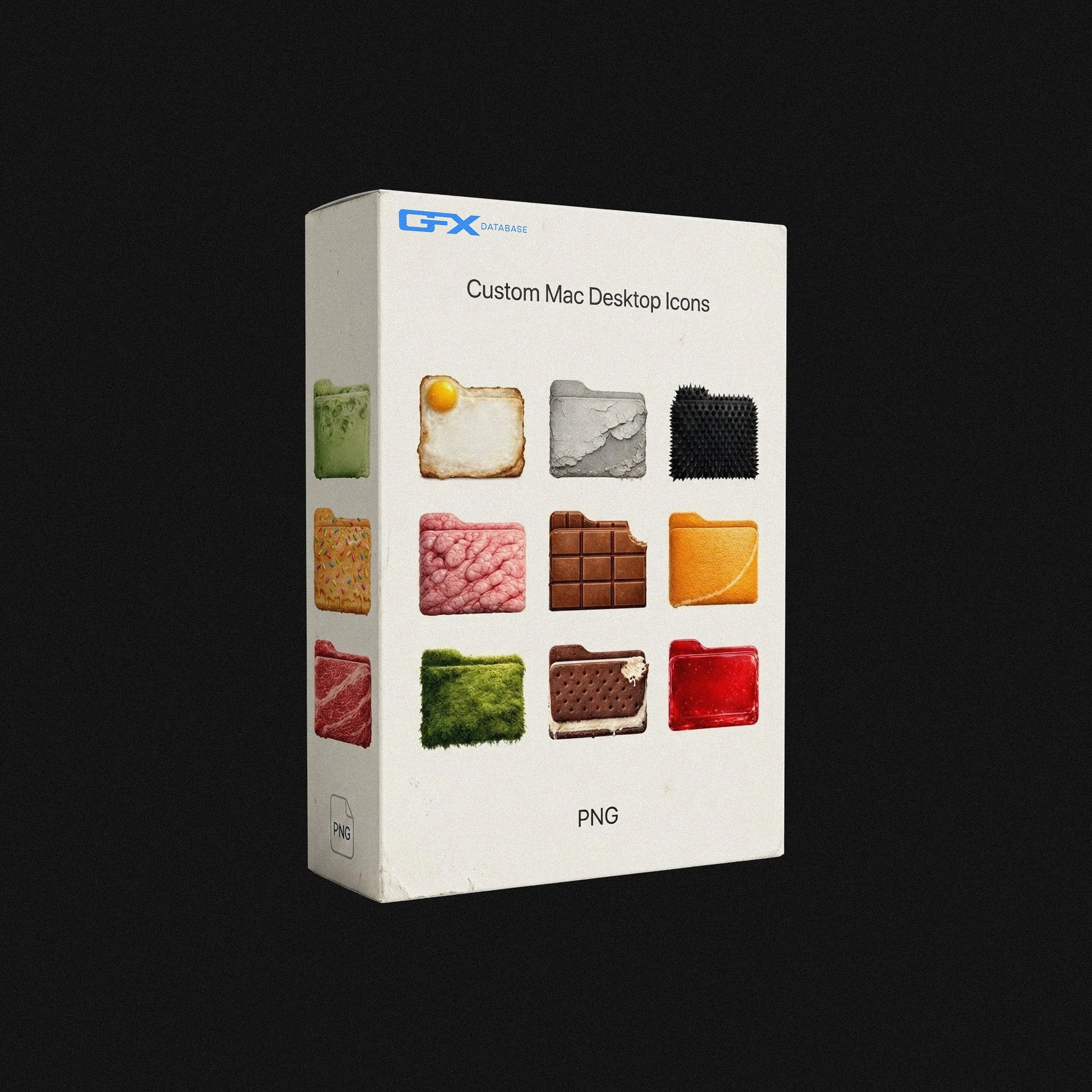
50 custom Mac folder icons built from hyper-real materials such as fluffy fabric, cracked glass, chrome, fried eggs, sushi, moss, duct tape, and more. Every icon is tactile, physical, and genuinely satisfying to look at. Zero default blue folders. Your desktop deserves better!
Use Cases:
Perfect for: customizing your Mac desktop, organizing a creative or dev workspace, theming a setup worth screenshotting, and making your file system look like it belongs in a design studio.
Works With:
Designed specifically for macOS. Just drag and drop each PNG onto your folder to apply. Works on both Light and Dark Mode with no extra tools needed.
What's Included:
50 unique custom Mac folder icons
PNG format with no background
Works on both Light and Dark Mode
Drag-and-drop ready — no extra software required
Instant download after purchase

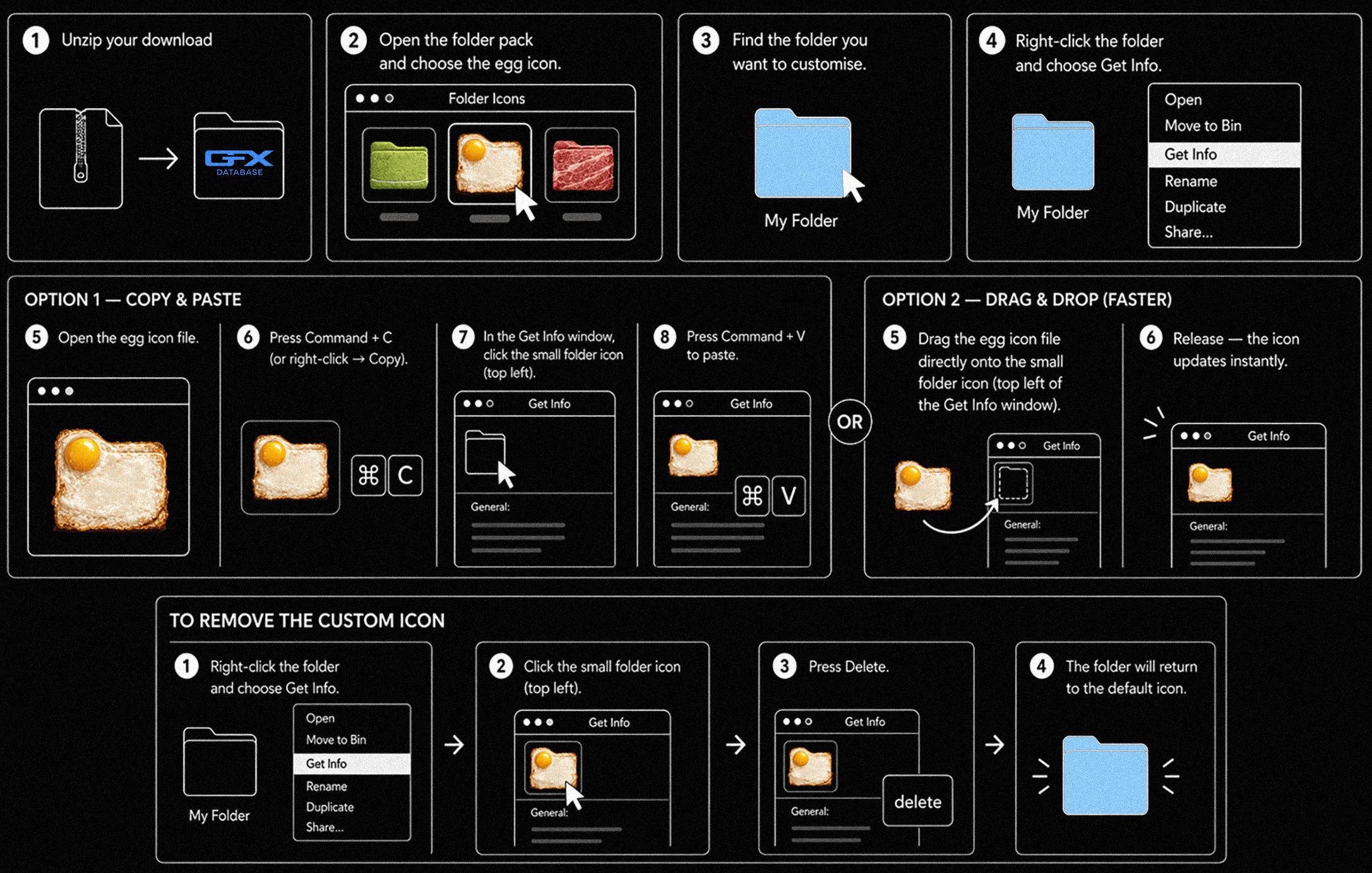
HOW TO ADD YOUR CUSTOM ICONS
Frequently Asked Questions
-
Open the icon PNG and copy it (Cmd+C). Select the folder you want to change, press Cmd+I to open Get Info, click the small blue folder icon in the top-left corner of that window, and paste (Cmd+V). The folder updates instantly. To revert, select that same icon and press Delete.
-
Yes. The icons are standard PNGs and use macOS's built-in icon system, so they work on every modern version of macOS, the method hasn't changed across recent releases.
-
Yes. Every icon is designed to look great in both Light and Dark Mode, with transparent backgrounds so they sit cleanly on any desktop.
-
The premium pack includes 50 unique custom Mac folder icons in transparent PNG format. It's drag-and-drop ready with no extra software required, and you get an instant download after purchase.